

Made with TAO-1 › Dentist website
Make a dentist website in minutes
A TAO-1 dentist website is a working site built from one plain-English request: you describe your business, and TAO-1 builds the pages.
Updated
Tell TAO-1 about your practice. It builds a calm, plain-spoken site with your services and fees, the people patients will see, what happens at a first visit, how patients pay, and a form to request an appointment.

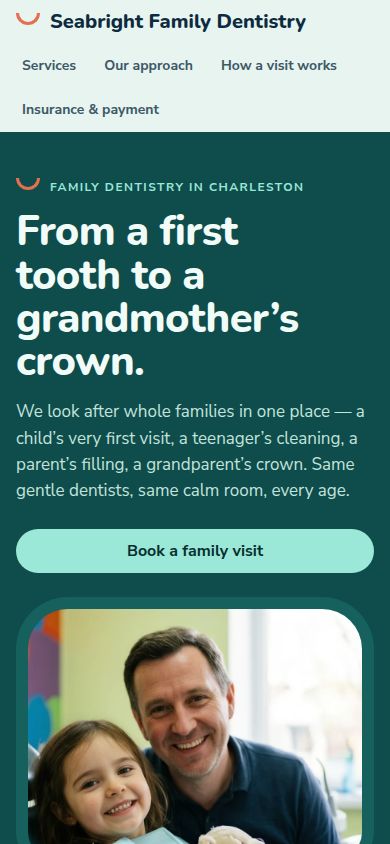
What's in a TAO-1 dentist website?
Eight services in plain words
New patient exam, a child's first visit, hygiene therapy, fillings, crowns and bridges, whitening, clear aligners and emergency toothache, each with a short explanation and a starting fee.
The people you will see
Five team members with their roles, so patients know who will look after them.
Your first visit, step by step
Four numbered steps (say hello, look together, agree a plan, treat and review) so new and nervous patients know what will happen.
Three rules you work by
Children first, nothing by surprise, and appointments built for nervous patients of any age.
Paying for your family's care
Four plain answers: pay as you go, insurance welcome, spreading the cost, and family appointments.
Reviews, hours and a request form
Three short reviews from families, opening hours, five common questions, and a form for name, email, the reason for the visit, a preferred day and time, and a message.
Is a TAO-1 dentist website right for you?
A good fit if you want a first version live quickly and are happy to edit the details yourself.
Check before you share it: a first version can include placeholder contact details, photos and reviews. Replace them with your own.
How do I make a dentist website with TAO-1?
1. Say what you want
Type something like "a website for a family dental practice with a first-visit guide and an appointment form". Add your practice name, services or fees if you have them.
2. Watch it build
TAO-1 writes the site, adds photos, checks that the form and links work, and shows you a live preview. This one took 49 seconds.
3. Change it by asking
Ask for changes in plain words ("add a map to the practice", "add a questions section for parents"), then publish it to a link or download the code.
What else can I add to my dentist website?
Add a map to the practiceAdd a questions section for parents of young childrenAdd a photo gallery of our treatment rooms and receptionLet patients pick a dentist when they bookAdd an emergency phone line at the top of the page
Questions about dentist websites
Do I need to know how to code?
No. You describe the practice in your own words and ask for changes the same way. You can also download the code if you want it.
Do the appointment requests reach me?
On your published site, requests go to the inbox in your TAO-1 account and you get an email when new ones arrive. In this demo nothing is sent.
How much does it cost?
New accounts start with $5 of free credit, which is enough to build and change a website like this one.